Agree the work.
Choose a customer, add line items and issue a quotation. Convert it into an invoice draft when you are ready.
Offline invoicing for Linux
Quotes, invoices and payment history, kept on your computer. A focused workspace for independent service businesses using Linux.
One-time purchase · Linux x86-64 only
Bundled runtime. No Python installation required.
From agreement to paid work
For a solo developer, designer or consultant who wants to prepare a quote, send a PDF and know what is still owed.
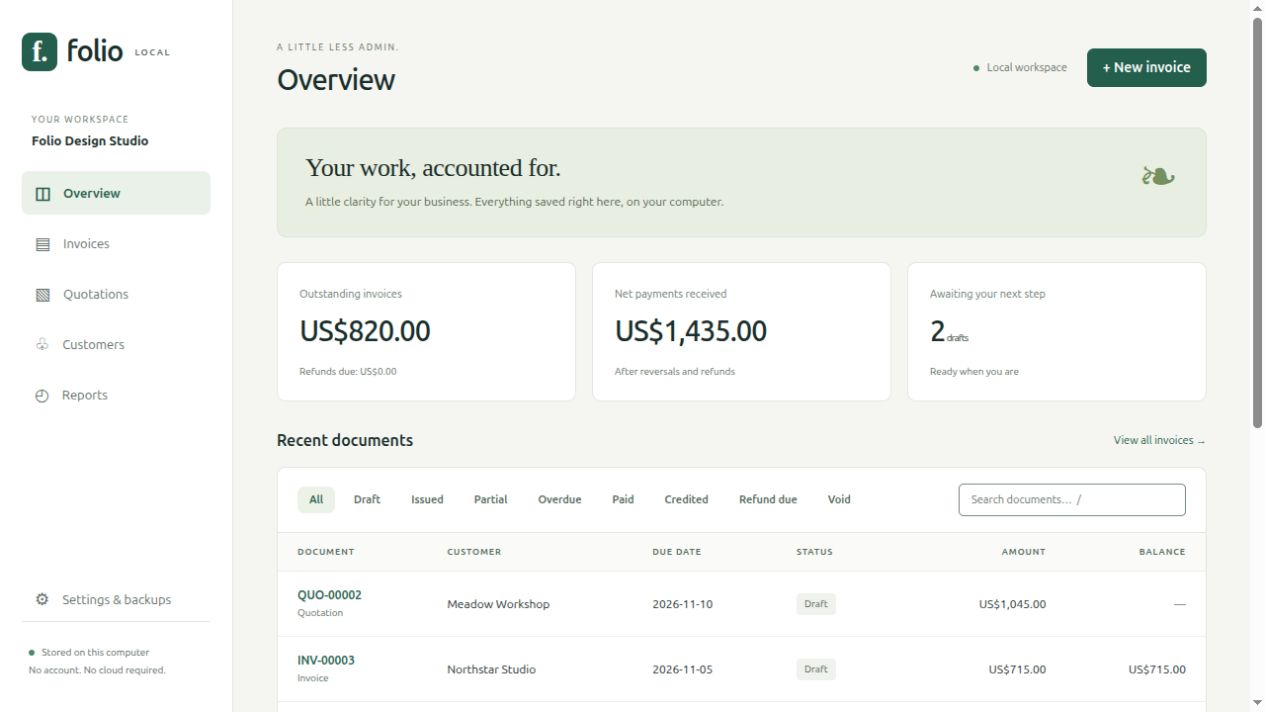
Choose a customer, add line items and issue a quotation. Convert it into an invoice draft when you are ready.
Review dates, terms and tax-exclusive line rates. Download a locally generated A4 PDF, then send it yourself.
Record partial or full payments. Reverse a mistaken entry with a reason; original records remain visible.
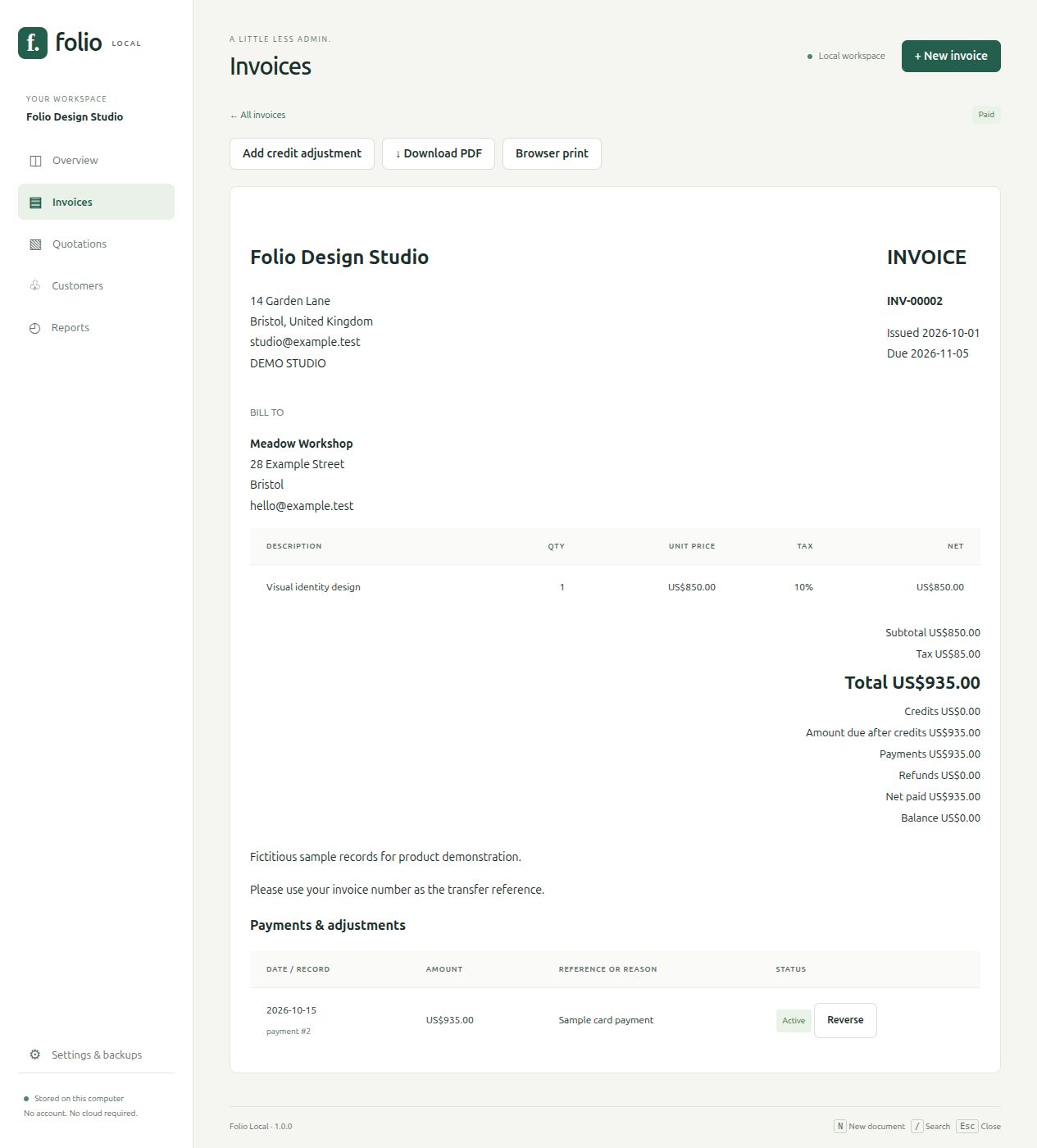
Billing credits are not statutory tax credit notes and do not recalculate original invoice tax.
View a sample invoice PDF
View a sample quotation PDF
Sample downloads contain fictitious records.
Look inside
See the real interface and output before buying. This captioned screenshot walkthrough uses fictitious sample records; it is not a live screen recording.
Check before buying
The executable starts a service on your own computer and opens Folio in your desktop browser. Keep its terminal running while you work. No cloud login or remote activation is needed.
./start.sh.Right-sized, if it fits
Folio is a single-user billing workspace with an English interface and a 100-line document limit. It does not include a general ledger, inventory, recurring invoices, automatic email, bank feeds or certified e-invoicing.
If you need a full accounting suite, open-source licensing or jurisdiction-specific tax documents, evaluate those requirements first.
Your records stay in a local SQLite database. Folio does not encrypt databases or backups. Use device encryption, a private OS account and off-device backups.
Keep using the version you bought without a subscription. Published version-1 bug fixes are included for 12 months; future major versions may be separate purchases.
Read the local-data and backup guide →Questions, answered
Yes. Folio’s billing workflows, PDF generation and database backups use the included local executable and assets. Download it first. Your OS, browser or extensions may make their own network requests.
The bundled Linux executable runs a local service on your computer. Its interface opens in your desktop browser. Keep the terminal running while using Folio. No Python installation or API key is required.
Linux Mint 22.3, x86-64, glibc 2.39 and Chromium 151. A graphical desktop and modern Chromium-based browser are required. Other distributions, older glibc, ARM and Firefox have not been verified. Windows and macOS are unsupported by this release.
A one-time license for one individual or business for internal use on computers it owns or controls. The runtime, optional per-user installer, manual, samples and third-party notices are included. Published version-1 bug fixes are included for 12 months from purchase. Future major versions may be separate purchases.
Free tools may be the better choice if you need full accounting or an open-source license. Folio offers a focused quote-to-payment workflow, visible corrections, local PDFs and backups in a bundled Linux download. Judge it by the screenshots and requirements; a smaller feature set is not automatically better for everyone.
Folio does not encrypt its SQLite database or backups. Use a private OS account, device encryption and off-device backups. There is no cloud sync or multi-user access.
You download and share the PDF yourself. Folio records payments and refunds you have already made or received; it does not transfer money, connect to banks, or send email.
No. It is a limited billing workspace with tax-exclusive per-line rates. Billing credits do not recalculate original invoice tax and are not statutory tax credit notes. There is no certified e-invoicing, tax filing or general ledger.
Existing customers can use the seller contact on their Gumroad receipt for best-effort support. The Gumroad product page lists a 14-day money-back guarantee. Include your OS, browser and Folio version; do not send private customer databases or credentials.
The interface is English. USD, EUR, GBP, INR, CAD, AUD, JPY and KWD are supported; reports keep currencies separate. There is a 100-line limit per document. Embedded PDF font coverage does not include every script; browser print is a fallback.
For your next piece of good work
Linux x86-64 · one-time purchase · $39
Gumroad lists a 14-day money-back guarantee. Check compatibility first.
Questions before buying? Use the seller profile linked on the Gumroad listing. Existing customers: use the seller contact on your receipt. Support is best effort, with no guaranteed response-time SLA.